

My Role
Accelerating design delivery during organizational growth
As Kimedics’ founding product designer, I led the design of the system, including:
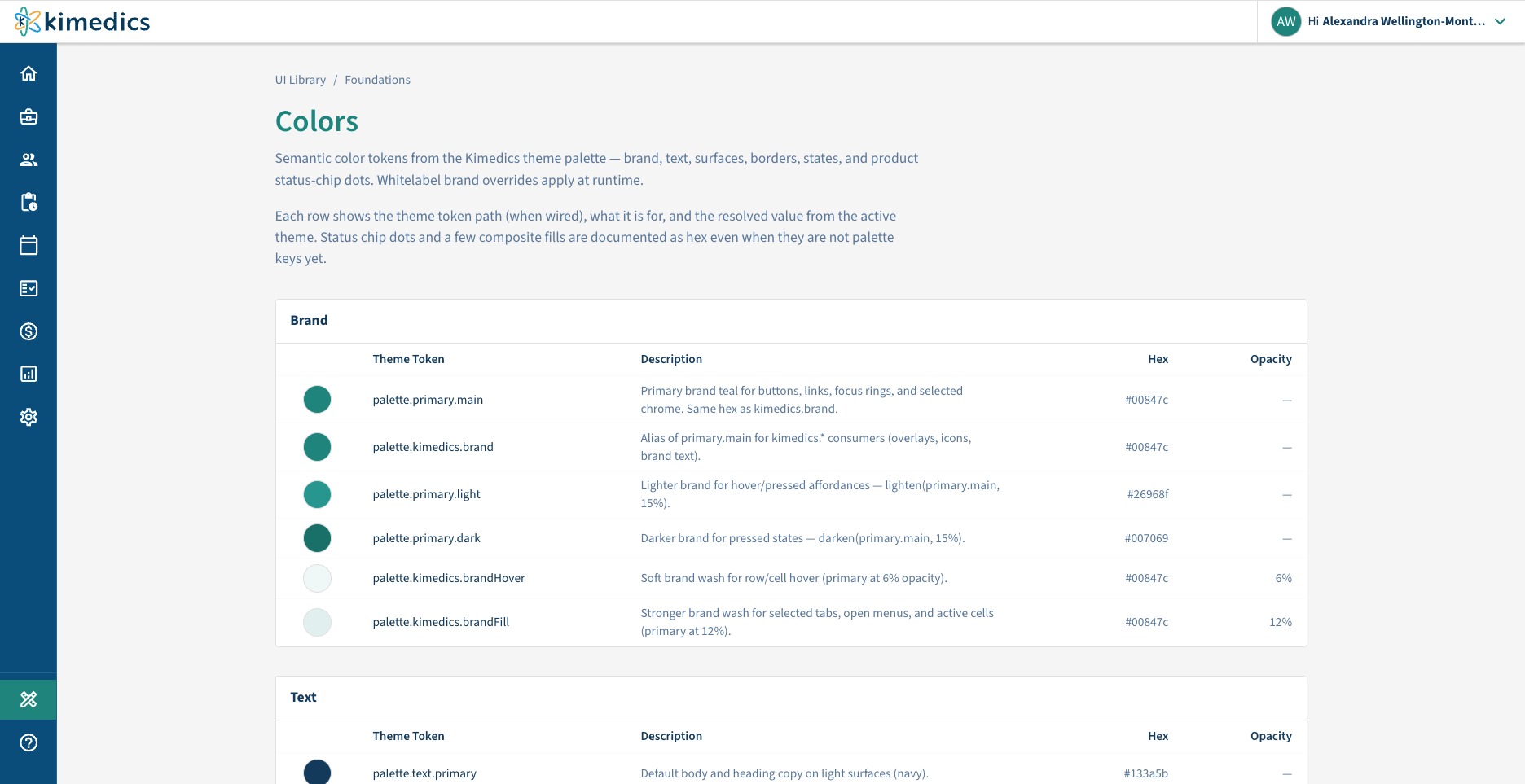
- Establishing the design patterns and component library that prototypes use
- Documenting the application’s entities, relationships, and product logic
- Creating reusable AI skills for common interface patterns
- Defining requirements, edge cases, and expected behavior
- Reviewing and refining generated experiences
- Testing prototypes with Product, Engineering, customers, and internal stakeholders
AI accelerated production, but the underlying product decisions, system design, and final design judgment remained my responsibility.
Challenges

Design demand was scaling faster than design capacity
As the organization expanded, I was responsible for delivering solutions across more areas of the application in parallel. Recreating established interfaces manually would have made design a bottleneck.

High fidelity required significant production time
Realistic prototypes depend on more than polished screens. They need accurate data, connected interactions, validation, system states, and edge cases. Producing that fidelity manually was tedious and made it harder to explore multiple solutions quickly.

Static handoffs left behavior open to interpretation
A linear Figma prototype could communicate the primary path, but engineers still depended on supporting requirements and conversations to understand how the experience should behave across different conditions.
Solution
Building the system AI needed to produce reliable prototypes
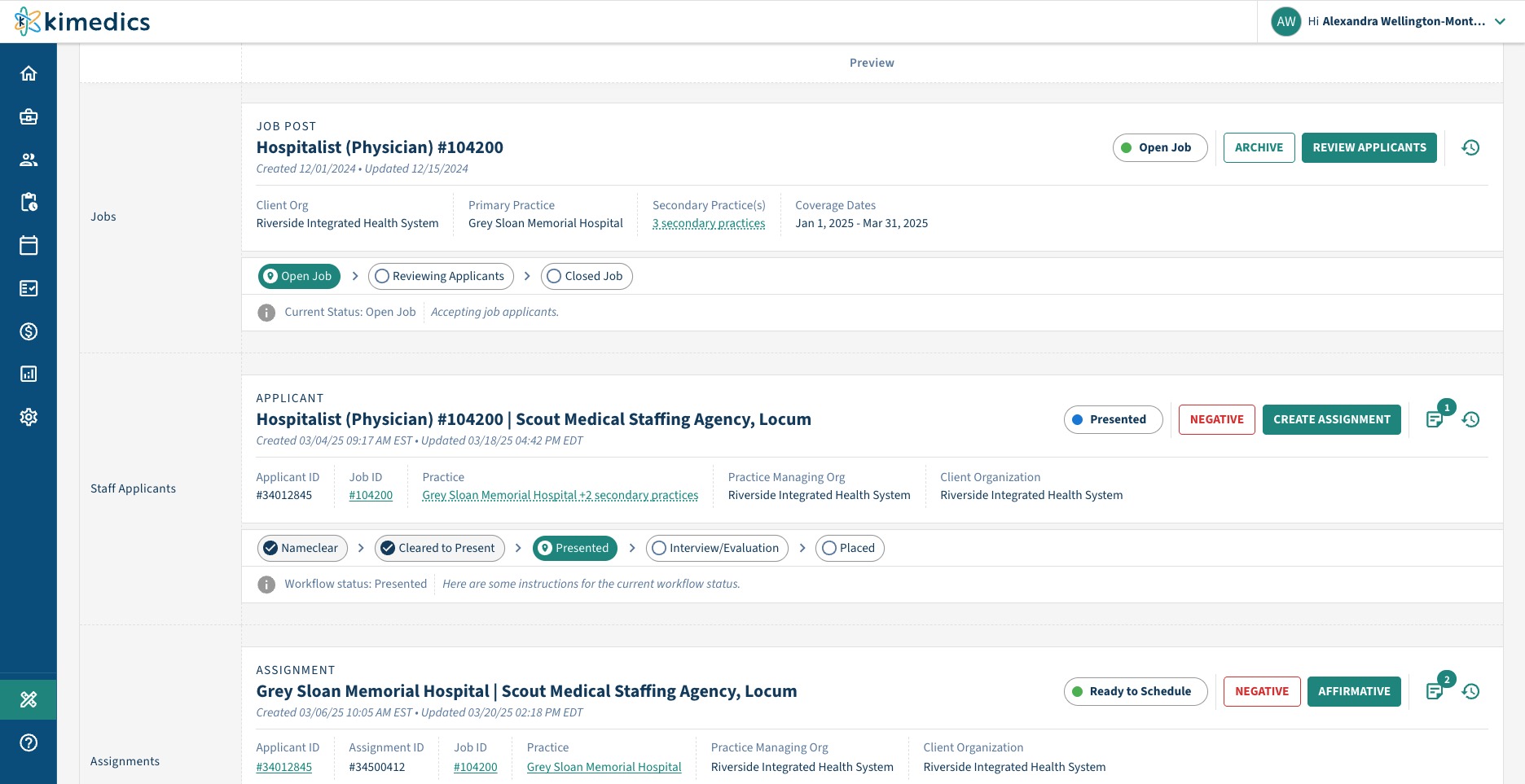
I built a workflow that connects AI to how Kimedics actually works: its design language, components, data, logic, and structure.
Instead of asking AI to invent an interface from scratch, I gave it a defined system within which to work. Plain-language requirements could then become functional prototypes that looked and behaved like Kimedics.
The system is built on three foundations.

Reusable design patterns
The component library gives AI a constrained set of patterns instead of asking it to make new design decisions with every prompt. Accessibility, validation, system states, interaction behavior, visual hierarchy, and consistency are already built into these components. This reduces production time without sacrificing the decisions embedded in the design system.

Product and system context
I documented the application’s data model and relationships between organizations, practices, jobs, providers, assignments, shifts, and rates. This allows prototypes to use realistic, interconnected data instead of placeholder content, making complex workflows and downstream impacts easier to evaluate.

Reusable AI skills
I created guided skills for common structures such as tables, forms, and record pages. Each skill gathers the necessary context in plain language before generating an experience from our established components and product model. This turns knowledge that previously lived in my head into a repeatable process.
Process
How the workflow works
- I define the problem, requirements, constraints, and edge cases.
- A guided skill gathers the product and interface context needed for the prototype.
- AI assembles an initial experience using established components and realistic data.
- I evaluate the workflow, explore alternatives, and resolve product decisions.
- I refine the interaction details and final visual execution.
- Product and Engineering review the functioning prototype before development begins.
The system handles repetitive production work. I remain responsible for deciding what should be built and whether the resulting experience solves the problem effectively.
Broader exploration
Multiple approaches can be created and compared quickly instead of committing to the first viable direction.
Deeper product thinking
Less time spent on manual production creates more time to evaluate requirements, tradeoffs, edge cases, and downstream impacts.
Earlier problem detection
Functional prototypes surface gaps and unanswered questions before development begins, when they are easier to resolve.
Case Example
Planning Coverage Matrix
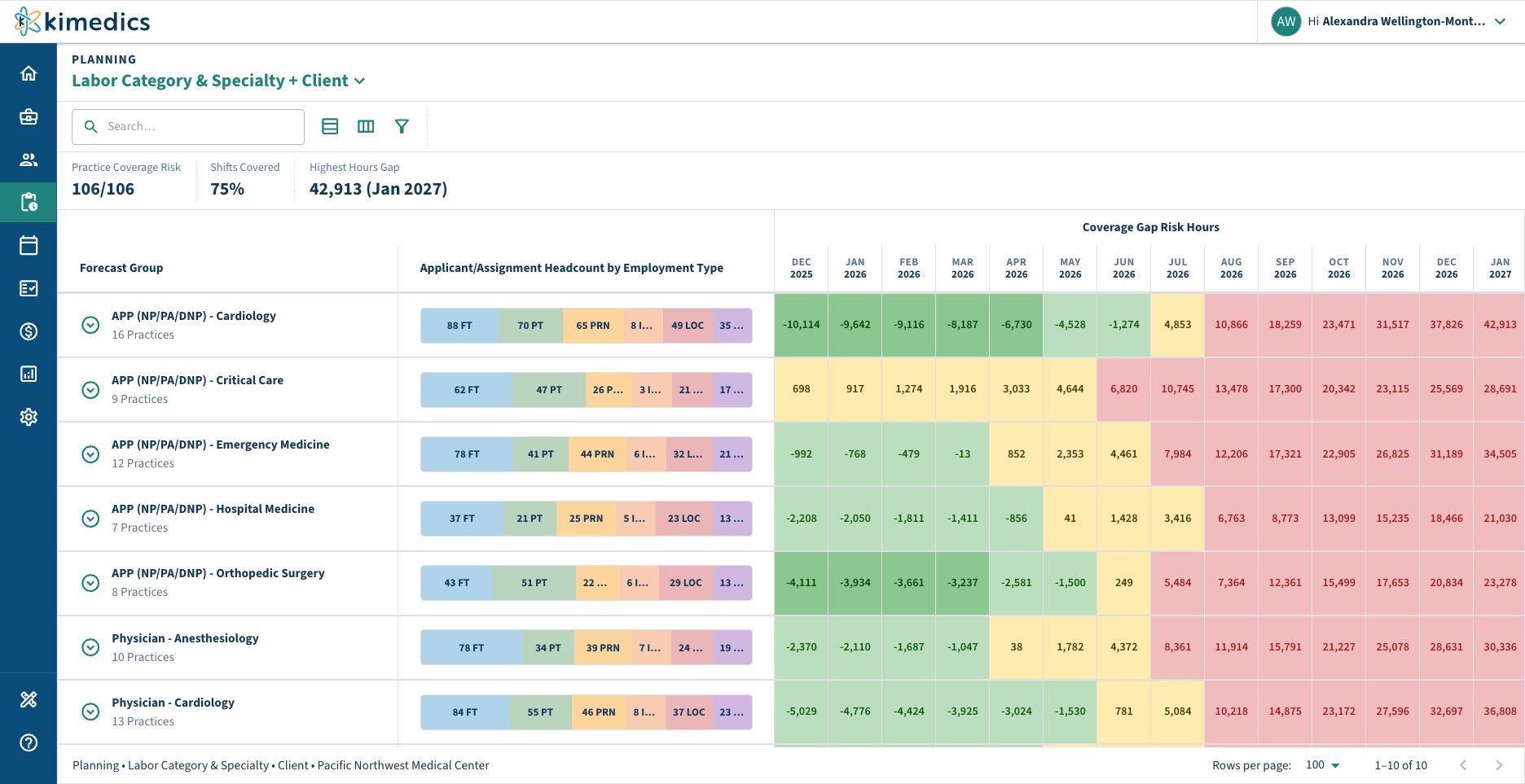
Kimedics’ Planning Coverage experience helps teams understand staffing needs across practices, specialties, and labor categories.
Users needed the ability to configure two levels of grouping within the planning matrix. They could choose from:
- Client
- Labor category
- Specialty
- Labor category and specialty
The two grouping levels could not be identical. Combined with the option to use no secondary grouping, the feature produced 16 valid table configurations.
Creating every variation manually would have required designing and populating each state separately. It also would have made it difficult to confirm that the hierarchy, totals, and interactions worked consistently across every combination.
Using the prototyping system, I described the grouping rules and constraints in plain language. The system generated all 16 configurations using connected sample data and functioning controls.
This allowed me to evaluate the complete behavior of the feature, not only its default state.
| Group by | None | Client | Labor Cat. | Specialty | Labor Cat. + Specialty |
|---|---|---|---|---|---|
| Client | Valid | Not valid | Valid | Valid | Valid |
| Labor Cat. | Valid | Valid | Not valid | Valid | Valid |
| Specialty | Valid | Valid | Valid | Not valid | Valid |
| Labor Cat. + Specialty | Valid | Valid | Valid | Valid | Not valid |
Results
16 interactive configurations in 15–30 minutes
Producing and populating the same variations manually would have taken an estimated two to three days.
That represented:
- Up to 96x faster prototype production
- Complete coverage of all valid grouping combinations
- Realistic, connected sample data
- A fully interactive experience instead of isolated static screens
The time saved was reinvested in evaluating the hierarchy, identifying requirement gaps, and refining how users would configure the matrix.
Organizational Impact
Product
Requirement gaps and edge cases surface before development begins, when they are less expensive to address.
Engineering
Engineers can interact with the intended behavior instead of interpreting it from a collection of static screens.
Design
Less time is spent rebuilding established patterns, leaving more time for product decisions, usability, and final execution.
Sales & CX
Interactive prototypes can communicate future functionality in customer and sales conversations before the feature is developed.
Company
The system allows one designer to support more teams and deliver higher-fidelity work across the application without lowering the quality of the final experience.
Extending the system
The next step is to connect the prototyping environment directly to the same production-grade component library used by the Kimedics application.
That would create a shared foundation across design prototypes and production development:
Instead of translating a design into a separate implementation, both environments would begin from the same components and interaction patterns. This creates stronger consistency and further reduces the gap between design intent and production behavior.
Component Library
Design Demo Site
The demo site is built using the same production grade components.
Kimedics Codebase
Resulting in stronger consistency during handoff from design to dev.