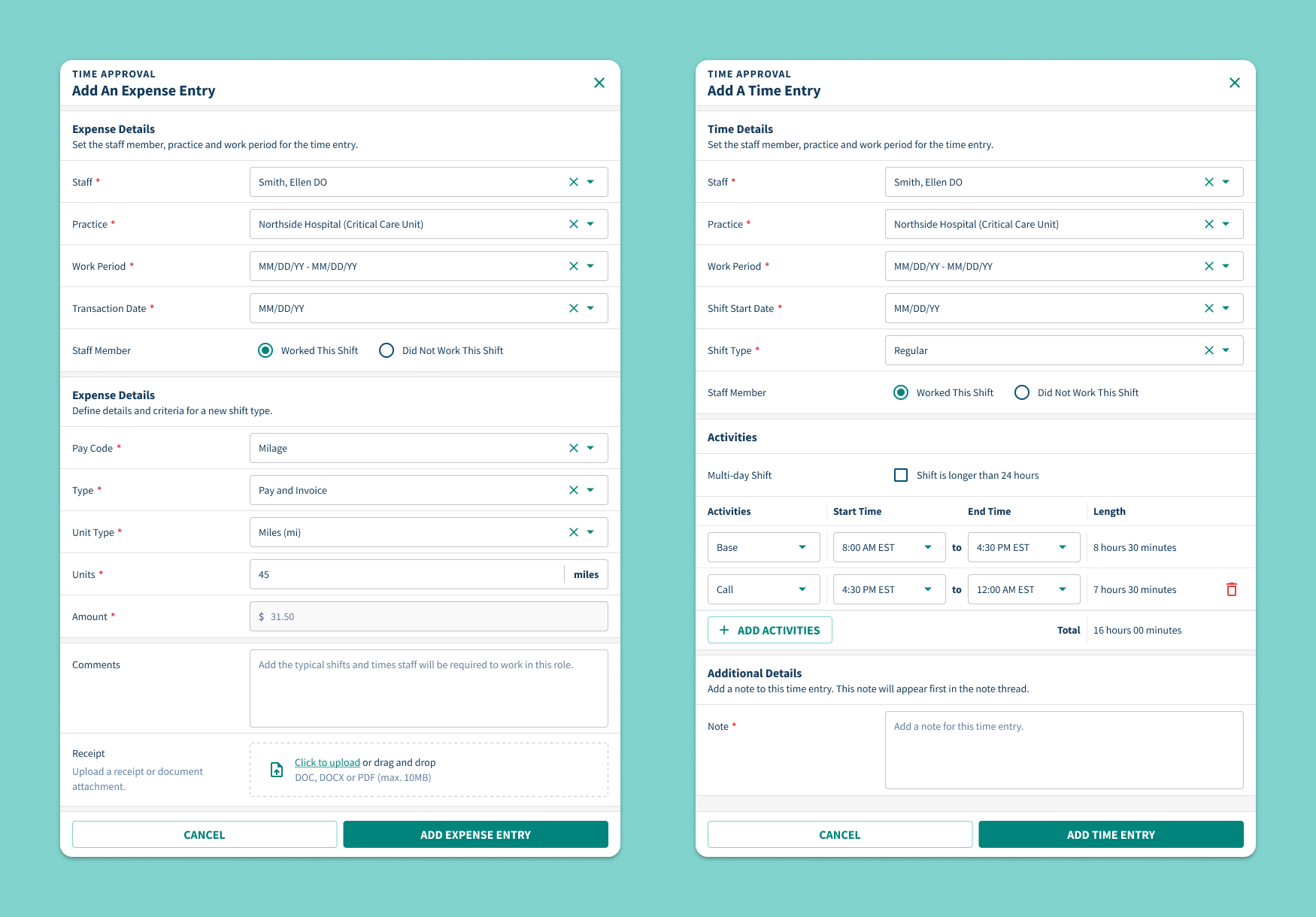
Healthcare admins needed a faster, more reliable way to enter time and expenses, but the platform’s original forms were inconsistent and error-prone. I redesigned the entry workflow to support multi-activity shifts, edge cases like call time and mileage, and built-in validation -streamlining submissions and reducing downstream approval issues.
In healthcare staffing, every shift worked and expense incurred has downstream impacts—on payroll, client invoicing, and workforce trust. But many staffing teams still manage time and expense approvals through a patchwork of forms, spreadsheets, and disconnected tools. These gaps lead to late submissions, billing errors, and preventable delays in payment. The result is not just operational inefficiency—it’s fractured confidence in the system.
We set out to create a unified experience that would give clinicians and approvers the same level of clarity, transparency, and control—no matter how complex the staffing model.
The original time and expense experience made it difficult to track what had been submitted, what needed approval, and what still required action. Clinicians lacked visibility into their own submissions, often forgetting to include overtime, holiday designations, or receipts. Approvers, meanwhile, had no easy way to verify if hours were entered correctly or if entries matched up with contract terms. Submission statuses were ambiguous, shift-level detail was buried or missing, and it was nearly impossible to confirm whether internal compensation aligned with client-facing invoices.
Teams spent more time chasing down information than actually reviewing or approving it.
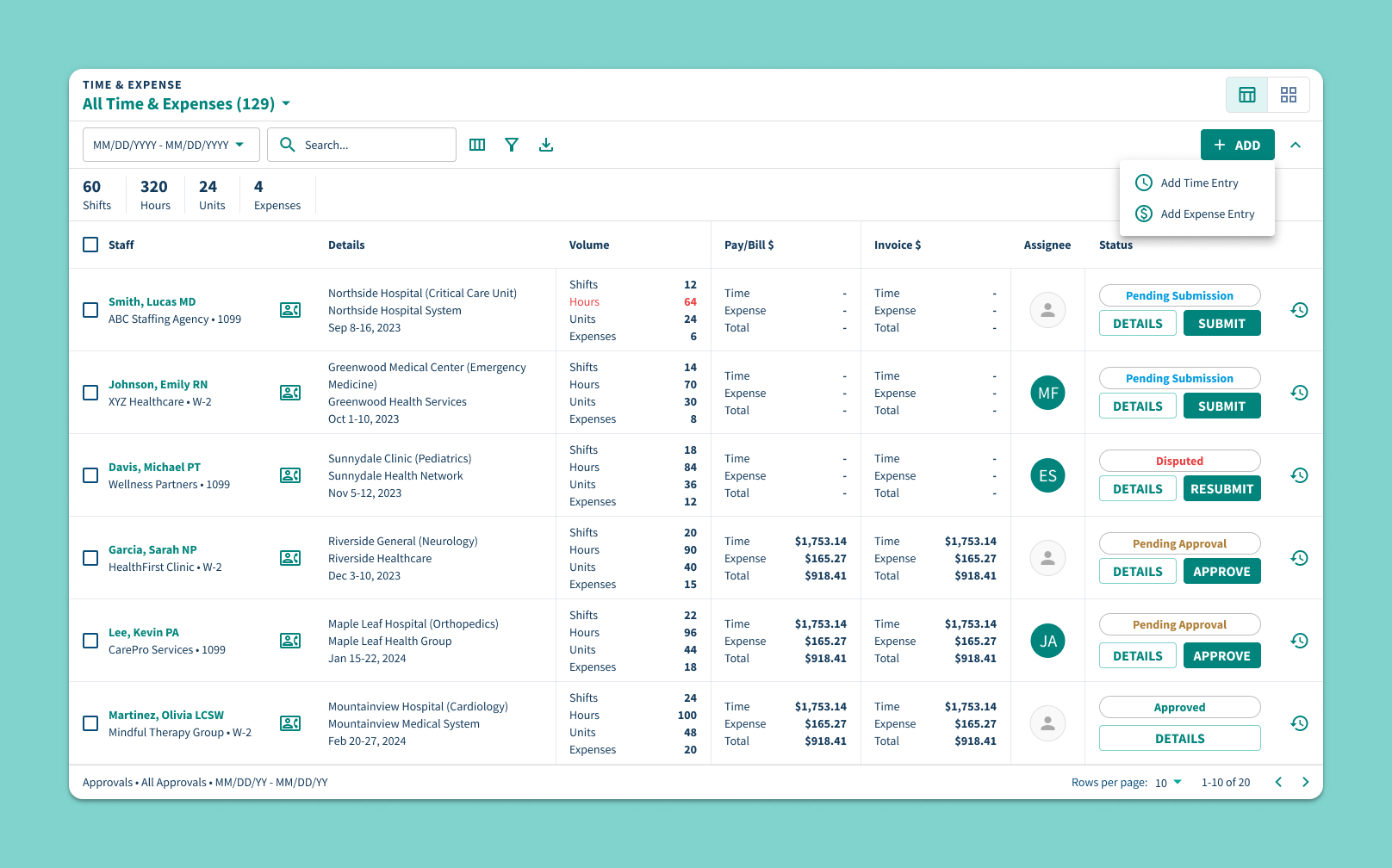
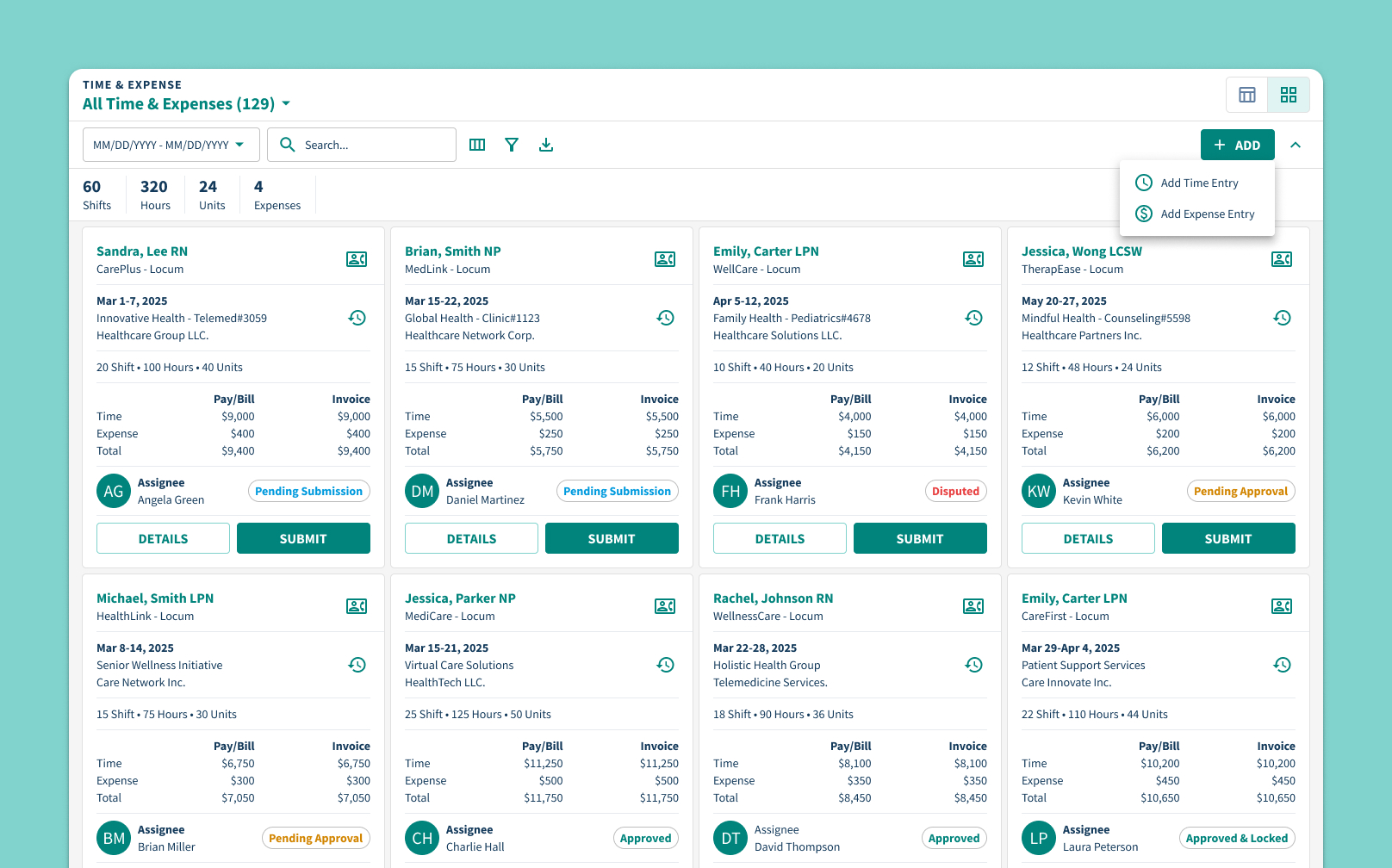
Our redesign focused on clarity and actionability. Instead of a single, rigid table, we introduced two flexible views: a table layout for high-volume processing and a card view optimized for quick scanning and on-the-go decision-making. Both views present the same data—shift counts, hours worked, unit volume, and expense totals—alongside a clear breakdown of pay vs. invoice amounts.
Each record now shows a complete picture: the total volume submitted, a categorized financial summary, the assigned approver, and a real-time status indicator. Common statuses like “Pending Submission,” “Disputed,” and “Approved” are paired with contextual actions such as Submit, Resubmit, or Approve—available directly in-line. No extra clicks, no ambiguity.
For teams managing dozens or even hundreds of submissions, this update was transformational.
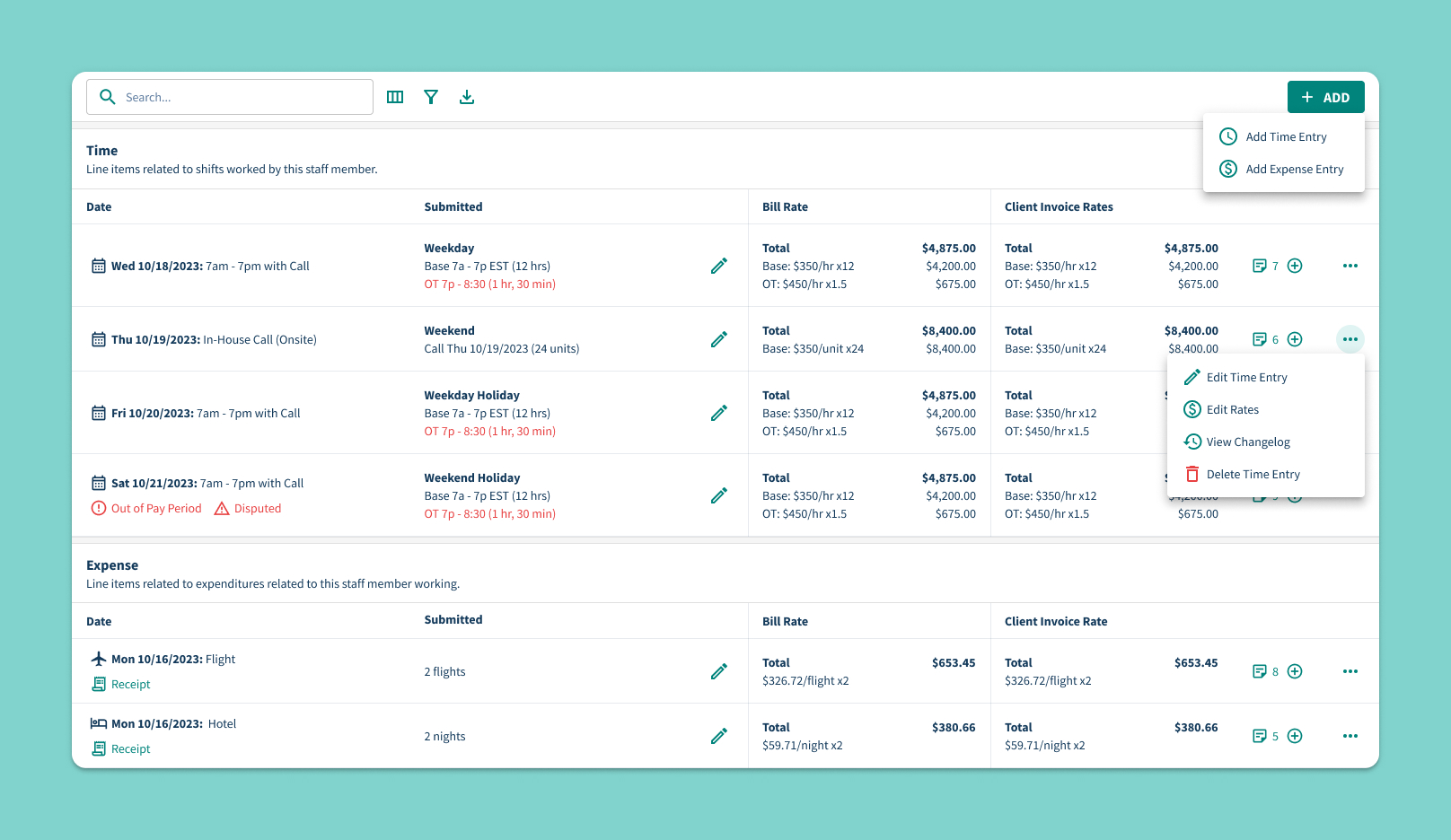
Clicking into a record reveals the full shift-level breakdown. If overtime was submitted, it’s shown in a dedicated row with clear time blocks and rate multipliers. Weekend, holiday, and call designations are also displayed - ensuring that every line item is fully contextualized.
The design also introduces a side-by-side comparison of internal and external rates, helping teams quickly understand if billing margins are consistent and aligned. Each time or expense entry includes a changelog and optional edit access, reducing the need for back-and-forth communication or offline audits.
Expense records are similarly clear. Submissions like flights or hotels are labeled with quantities (e.g., “2 flights,” “2 nights”), and receipt files are linked directly in-line. Approvers can open receipts, validate amounts, and approve the expense without navigating to a different screen.
The new Add Time and Add Expense forms simplify complex entries into clear, structured steps. Users select staff, practice, dates, and define shift or expense details with dynamic fields that adapt as needed. For time entries, multiple activities like Base and Call can be stacked in one shift, with auto-calculated durations and overlap checks. Expense entries support units, pay codes, and receipt uploads in a single flow.
Built-in notes and toggles for edge cases—like multi-day shifts or missed work—make the process flexible yet foolproof. The result: faster submissions, fewer errors, and complete records from the start.